
The real-time clock (RTC) in ESP32 is not a separate external module, but a part of the chip’s internal subsystem designed to keep track of time independently of the main CPU state. The RTC domain operates from its own low-frequency clock source (typically the internal RC oscillator at ~150 kHz or an external 32.768 kHz crystal) and remains active in light sleep and deep sleep modes. Thanks to this, ESP32 is able to maintain timekeeping even when the core is halted or power consumption is heavily limited, which is critical for low-power applications. When power is completely removed, the RTC is reset.
From a timekeeping perspective, the RTC in ESP32 is responsible not so much for “calendar” functions as for continuous time counting and wake-up timers. The actual representation of time (Unix time, struct tm, etc.) is implemented at the SDK level. In this setup, the RTC serves as the hardware foundation: it keeps time running between wake-ups, stores the counter, and allows accurate calculation of how much time has passed while in sleep modes. This is why, after exiting deep sleep, ESP32 “knows” how many seconds have elapsed, even if Wi-Fi and the CPU were completely powered down.
To set the current time and time zone, the "time" command is used with various arguments. The syntax is fairly flexible: "time set DATE", where DATE is a string such as "2026 february", "10 april 2026", or "sept 10:12 am", and similar formats. The order of arguments after the set keyword does not matter, and if a particular argument is omitted, the corresponding value is left unchanged. For example, the command "time set 2026" will change only the year, leaving the time, day, and month untouched.
Example: set time and date to "28 September 2026 14:21:37"
  esp32#>time set 28 September 2026 14:21:37

  % New system time/date has been set. (user input)
  esp32#>
To set the time zone, use the "time zone TIMEZONE" command, where TIMEZONE is the offset relative to UTC. For example, you can enter time zone 7, which means UTC-7:00. Negative offsets can also be specified by adding a minus sign: "time zone -1:30" will set the time zone to "UTC+01:30".
ESPShell stores the time zone value in NVS, so it is preserved across power cycles and reboots. This is important, for example, if SNTP synchronization is configured.
Here is how it looks (time is not configured):
esp32#>show time
% Today is:  1 of January (Thursday) 07:00:23 ,year 1970 (UTC-07:00)
% Time source is on-chip RTC (volatile), time and/or date may be incorrect
esp32#>
And this is how the output of the "show time" command looks when the time is synchronized:
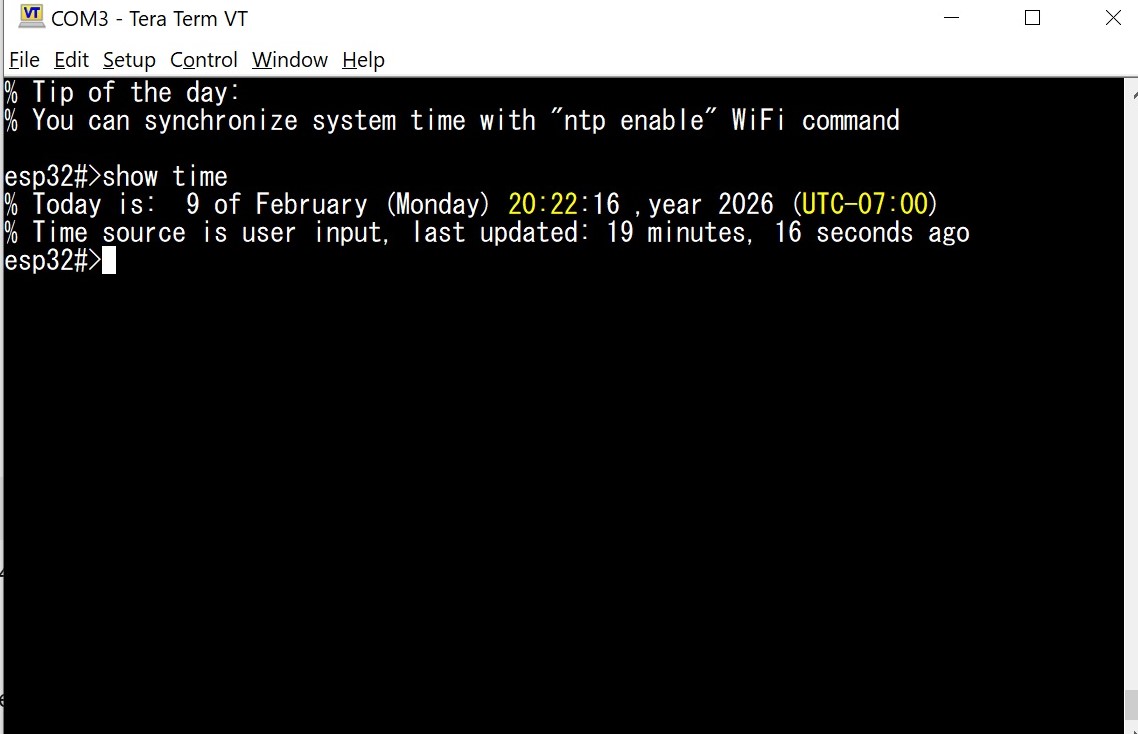
Fig. 1: Example output of "show time" command